
When hiding the secret folder, MySecretFolder also protects it with password:
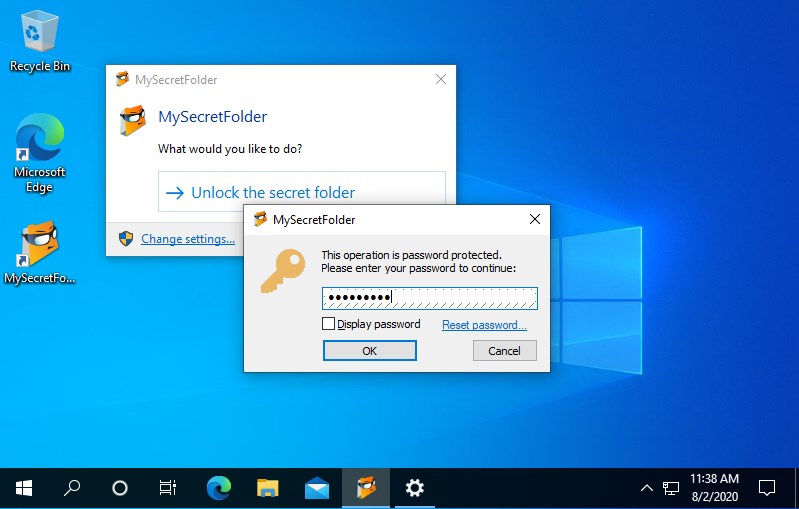
How does the password protection work?
If you have protected a folder with MySecretFolder software, it becomes invisible to other programs. To unlock the folder and make it visibloe again, run MySecretFolder utility, or double-click its taskbar notification icon, enter your password, and it will open in a window just like a regular folder.
How well will MySecretFolder protect the folder?
MySecretFolder makes your secret folder protected from Windows Explorer, other Windows or Office applications, as well as from the command-line MS-DOS programs. If other users attempt to open the folder by double-clicking it in Windows Explorer, they may see the Access Denied message. For most practical purposes, your secret folder would be impossible to open, and other users will have virtually no means of seeing the files inside of it.
Keep in mind, however, that if someone can physically remove the hard drive from your computer and attach it to another computer without MySecretFolder software installed on it, then the folder will NOT be protected. If you need your secret folder to remain protected even in such a case, you need to use an encryption program instead, such as USBCrypt.
What if I forget my password?
No problem: Just click on the Forgot password? link on the password prompt window and enter your license information for MySecretFolder (you receive it when you purchase a license).